
A thermal camera does one thing: it shows you heat. Pointed at a solar panel in the sun, that turns out to be useful, because a cell that is not doing its job gets hotter than the cells around it. Here is what we see when we scan a roof, what the pictures mean, and where the camera stops being useful.
How it works
Every cell in a panel is turning light into current. A cell that cannot pass its current on, because it is shaded, dirty, cracked or has failed, turns that energy into heat instead. The thermal camera sees that as a bright block against the cooler cells beside it.
We scan every panel from the roof, in the sun, because that is when the differences show. A panel that has been in cloud all morning looks the same whether it is healthy or not.
A healthy panel next to one with hot cells
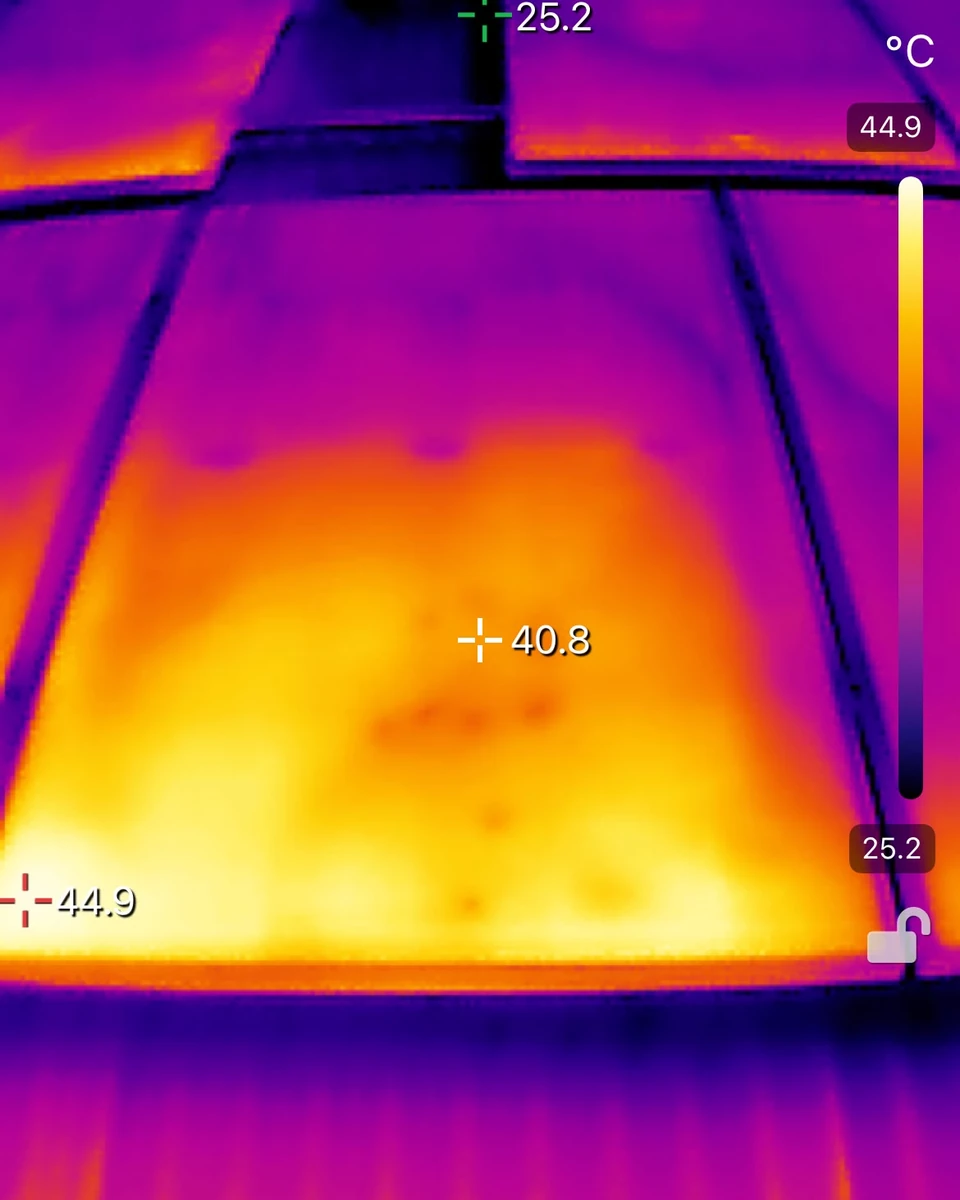
The first image is a healthy panel. Some areas are warmer than others, but no single cell stands out from the ones around it. That is what most panels look like, and it is good news.
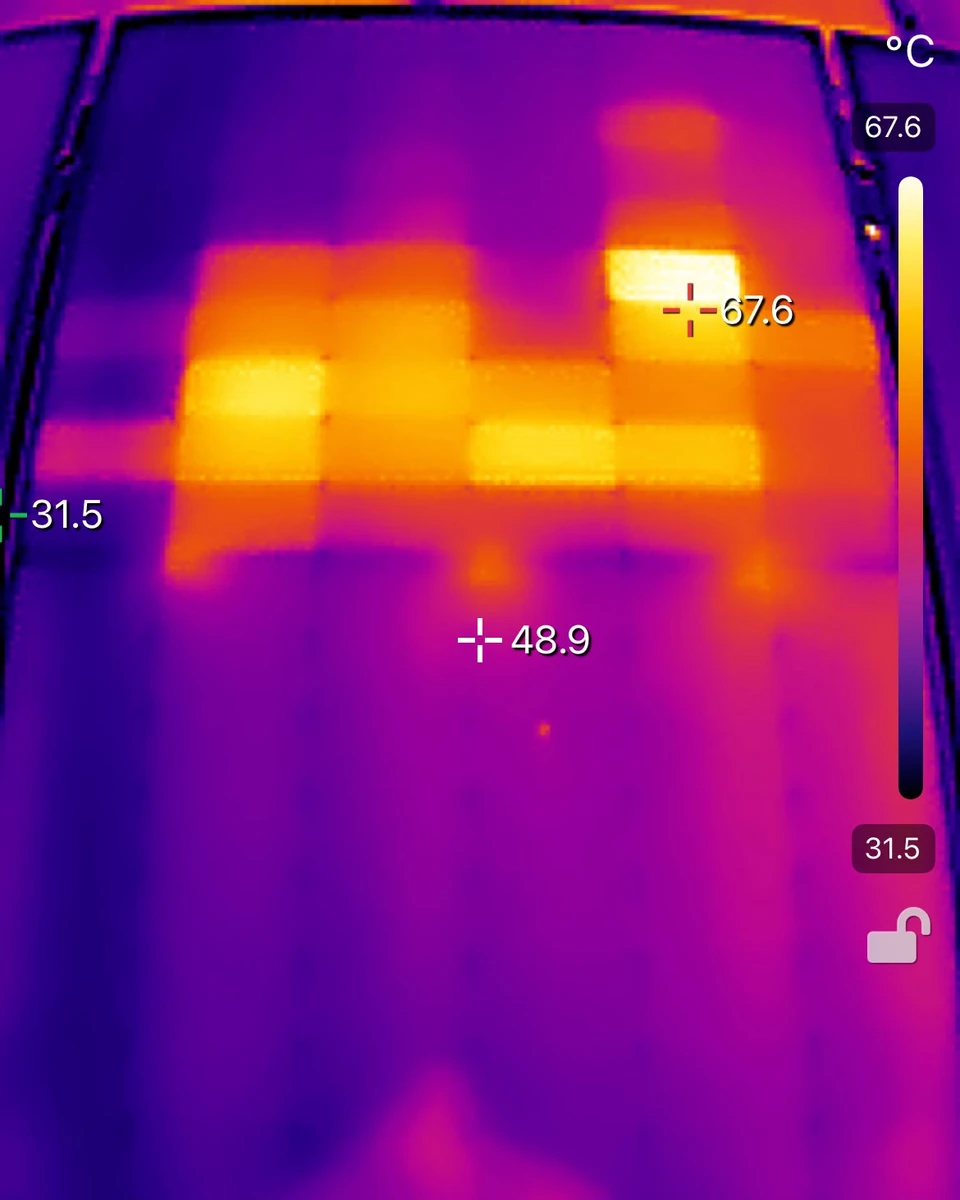
The second image is a panel on our own roof. The bright blocks are individual cells running well above the cells around them. That panel still produces power, but those cells are not pulling their weight, and something is causing it.
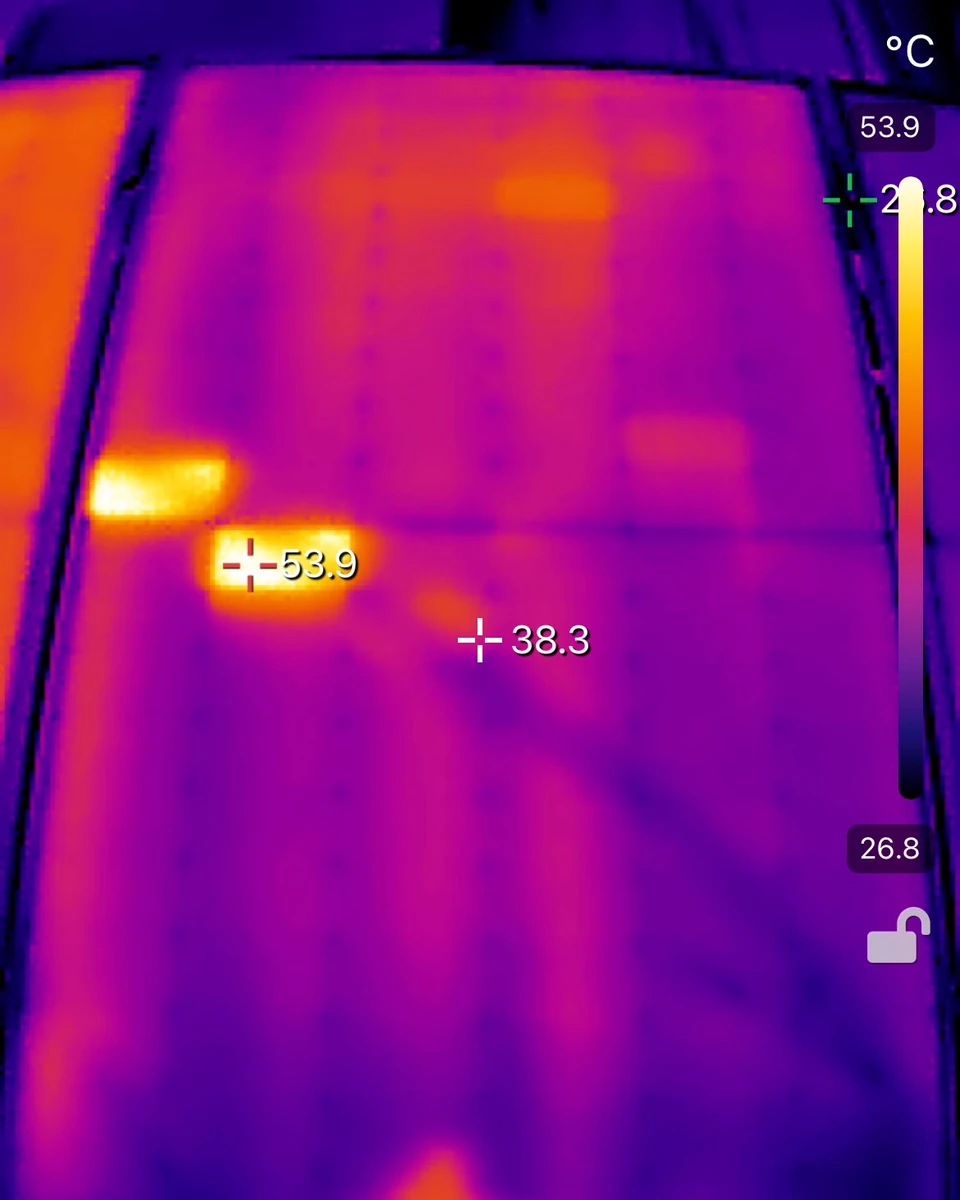
What a hot cell can mean
A hot cell is a symptom, and there are a few different causes. In rough order of how often we see them:
- Shade. A branch, an antenna, a flue, or a neighbour’s roof at a certain hour. The shaded cell heats up while the rest of the panel works. It moves with the sun, which is one way to tell it apart.
- Dirt stuck to the glass. Lichen and a dried bird dropping do the same thing as shade, except they do not move. The clean fixes this one on the day.
- A crack in the cell. Often a hairline you cannot see from outside the glass. The cell heats up because current cannot get through it the way it should.
- A bypass diode. Panels have a few diodes that route current around a struggling section. When one is conducting, or has failed, a whole strip of the panel runs warmer than the rest.
- A failed cell. The cell is no longer producing and is heating up on the current from its neighbours.
The clean sorts out the dirt. Shade is a conversation about what is casting it. A crack, a stuck diode or a failed cell is a job for a solar electrician, and the report says so, so you can decide.
What the camera cannot tell you
The camera shows heat, not causes. Until the panel is clean, it cannot tell a dirty cell from a cracked one, which is one reason the scan and the clean go together.
It cannot see a loose connection in a cable, an inverter that is on its way out, or a panel that is simply older and weaker than the ones next to it. And a panel can scan perfectly and still be producing less than it should, because a scan is a picture of one moment on one day.
Our report has a section called what a thermal camera cannot tell you, and we would rather you read it than think the picture is the whole story.
When it is worth a look
You do not need a thermal scan every year. It is worth doing when something has changed, or when nobody has looked in a long time:
- Your bill has crept up and nothing else has changed.
- The inverter shows one string doing less than the other.
- The panels are more than a few years old and nobody has been on the roof since they went in.
- Birds, a storm or a tradesperson have been on the roof.
- You are about to add a battery and want to know what you are building on.
Where the scan fits
Our Solar Health Check scans every panel with the thermal camera, cleans the whole array with water and a soft brush, and sends you a photo report within one business day with the scan, the findings and before and after photos of every panel. If lichen is what you are seeing on your roof, this is why the rain does not wash it off.
Not sure yours even need cleaning? Send us a photo of your panels and we will tell you. No charge, no visit needed to find out.
Frequently asked questions
Does a thermal scan find every fault in a solar panel?
No. It finds cells that are running hotter than the ones around them, which covers shade, stuck dirt, cracks, diodes and failed cells. It does not see cable faults, inverter faults or a panel that is just getting old. The report says what it saw and what it could not.
Do the panels need to be cleaned before a thermal scan?
Dirt stuck to the glass heats a cell the same way a crack can, so a scan of dirty panels tells you less than people expect. That is why the scan and the clean go together.
Can a thermal scan damage the panels?
No. The camera only looks. Nobody touches the glass and nobody stands on the panels.